Syncing Feeds 4.0
In the “about time” department, Feeds now syncs between iPhone, iPad and Mac. There are two settings for those who wants to keep low traffic, and those who want to sync all articles. Obviously end-to-end encrypted so nobody can read your feeds or articles. It syncs articles downloaded from behind paywalls, and since it uses iCloud - the app has no fees for syncing!
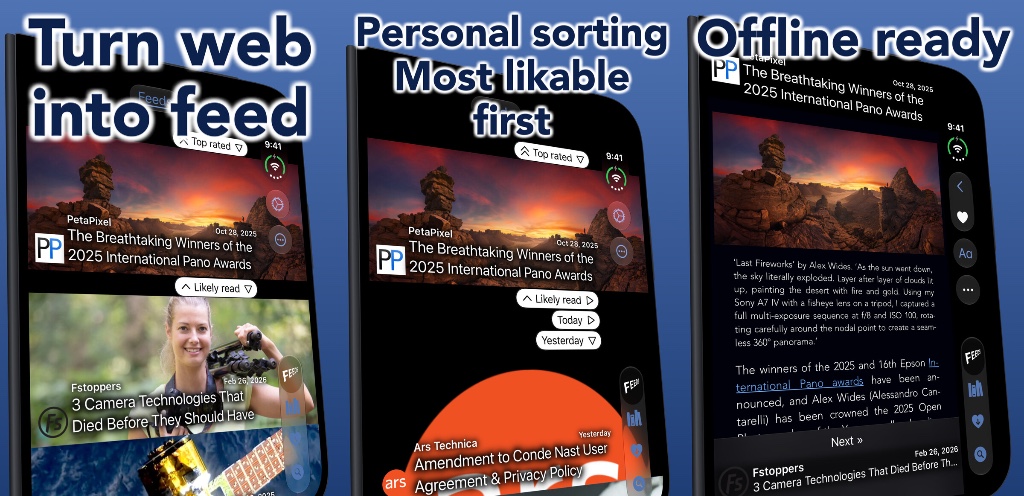
It is still the reader that turns any website into a feed and learns your taste entirely on-device. Your reading habits still never leave your devices or your own encrypted iCloud.
Support for the iPhone Duo too, obviously!
Since 3.3.3 shipped in late September, I’ve made 137 changes. Here’s what they mean for you, whether you’ve used Feeds for years or are hearing about it for the first time.
Your reading, on every device
iCloud sync is here. Your feeds, settings, read marks and saved articles now stay synced between iPhone, iPad and Mac. Read something on your phone at breakfast and it’s already marked read on your Mac by lunch.
It’s private by design. Sync goes through your own private iCloud database, and the fields are encrypted. There’s nothing about Feeds in between, just the device and iCloud.
The AI comes along too. After a sync, the on-device AI learns from what you read on your other devices, so every device gets better at sorting for you.
Want less? Backup mode syncs only your saved articles, so you keep your favourites without syncing everything else.
Sync now gives you a manual trigger and a status view, so you can see exactly what’s happening.
Collections for saved articles.
Saved articles can now be sorted into collections. Keep recipes, long reads and work research apart instead of in one long pile.
Smarter feeds, fuller articles
Full articles from summary-only feeds. Many feeds send only a teaser. For the stories the AI thinks you’ll like, Feeds now downloads the full article in the background. Once the whole text is in, it sorts them again, so the good stuff rises even when the feed holds it back.
Follow from a shared link. Open an article from a link someone sent you, and a banner offers to follow its source. You can also fetch its latest articles just once, without subscribing, to get a better idea of the publication before committing.
Better parsing. Image galleries, captions and Atom links come through cleanly. Feeds also handles feeds that redirect, or that fail on their first URL, more gracefully.
A calmer article list
The article list no longer jumps around. Before, new articles could land while you scrolled and push you out of place. I chased that bug through five rounds of fixes. Now the list holds still where you’re reading and marks articles as read reliably while you scroll.
Small touches you’ll notice every day
A redesigned article toolbar. Buttons no longer vanish on smaller iPhones. When space runs out, extra actions fold into the system’s overflow menu, and every icon now has the same size and weight.
Boost and Hide in one button. Telling the AI “more of this” or “less of this” now takes a single tap. Makes the navigation bar less crowded.
Long press a link in an article to get a menu of actions.
A paste button for adding a feed.
The keyboard steps aside when you start scrolling.
Optimised for iPhone Duo.
A reordered tab bar for those of us who like to read certain feeds first, now the all-tab is second.
Purchases restore properly since it might feel strange to subscribe again, there is now a restore button to activate your subscription on new devices.
Under the hood
The app is ten years old, so a lot of this release went into work you won’t see but will feel.
Faster and steadier. Background refresh now uses the modern BGTaskScheduler, and many bugs are fixed. Old data, including stale link history, is cleaned up so the database stays lean.
Rebuilt foundations. The shared code is split into modular packages and the core moved to Swift 6, so whole classes of threading bugs are now caught at compile time. Feeds that need JavaScript run in a hardened sandbox.
Ready for more platforms. The modular code lays the groundwork for Feeds on Android.
Smaller App Clip. The App Clip, which lets anyone try Feeds from a shared link without installing it, got slimmer.
New to Feeds?
Here’s what you get from the first launch, update or not:
Any website becomes a feed, with or without RSS. Feeds reads it the way you would.
An on-device AI (super-tiny-language-model) that learns what you like and moves the good stuff to the top. It’s private: nothing about your reading leaves your devices.
Full articles, not teasers, in one calm stream, with lightning-fast full-text search.
Remembers where you stopped in every article, and lets you save articles for later with one tap.
Fonts, code highlighting, widgets and support for iPad, Duo and the Mac.
Get it!
If you already use Feeds, update to 4.0 and turn on iCloud sync in Settings. Your other devices will catch up on their own. If you’ve never tried it, download Feeds from the App Store and add the sites you read every day. Within a few days it will know what you like.